Bagchal is a strategy board game for two: four tigers hunt twenty goats, and the goats try to trap every tiger before five of them are captured. Our version for Windows first came out in 2020. Now it’s back as Tigers vs Goats - Traditional Bagchal Game, version 1.0, rebuilt from the ground up.
Where it started
The first version took a little over three weeks, from the first line of code on April 6, 2020, to the Microsoft Store on April 30. It was “an initial beta release”: you could play against the device at three difficulty levels, or with a friend on the same device. A fun fact from its Store listing: every sound effect in that version was made with the developer’s own voice.
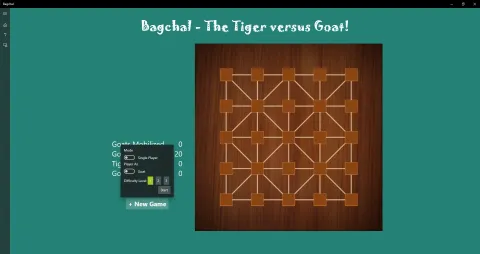
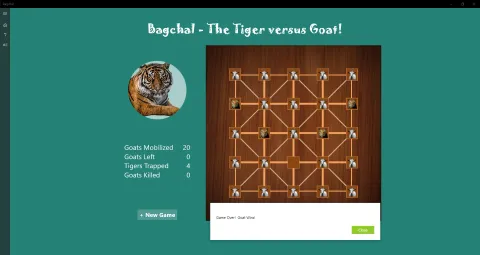
Version 0.5 in April 2020: the New Game options, and a game the goats won by trapping all four tigers.
A computer opponent that learned by playing
The 2020 opponent followed hand-written rules with a dose of randomness. The new one is a small neural network that learned the game by playing over a million games against itself, combined with a search that looks a few moves ahead. Because it judges each position instead of following a script, it doesn’t fall back on the same patterns.
There are now five difficulty levels, all played by the same opponent. Lower levels look fewer moves ahead and sometimes make a deliberate mistake, so they are friendly to new players. Level 5 looks furthest ahead and never makes one on purpose.
Play online with a friend
Host a match and share the short room code, or enter a friend’s code to join. No account is needed. Pick your side and a display name, chat during the match, and send a quick reaction: 👏 😱 😂 🤔 👍. Undo works online too, but only once your opponent approves it, so it stays fair.
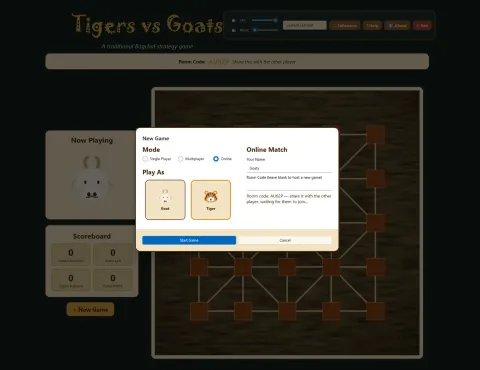
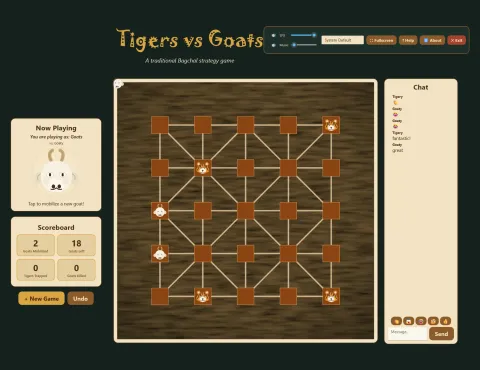
Hosting a match shows the room code to share. During the match, chat and quick reactions sit beside the board.
Two players can still share one PC, as before.
A new look, and new sounds
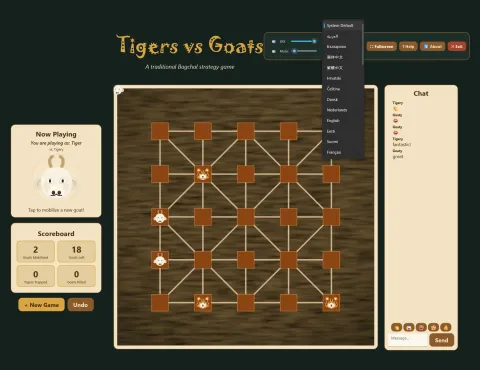
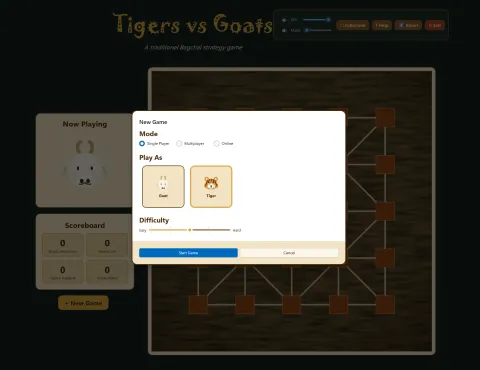
A match in progress, playing as the tigers, and the New Game dialog.
- A wooden board, parchment-colored panels, and new tiger and goat pieces.
- The rules are now numbered cards on the Help page, and there is a new About page.
- The New Game dialog puts every option on one screen, with a Cancel button.
- New background music, “Calm Loop” by wipics (CC0), and new sound effects, each with its own volume and mute controls.
- Your settings are remembered between games.
The game is now built on the Windows App SDK, and runs on Windows 10 version 1809 or later and Windows 11. See the changelog for the full list.
Learn the game
New to Bagchal? Read how to play, with diagrams of every move, and then the strategy tips for tigers and goats. If you already have Bagchal, the update arrives through the Microsoft Store like any other.