
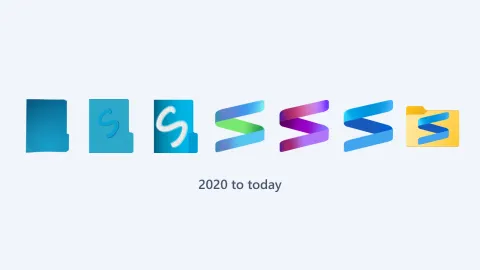
From a blue folder to a ribbon S: the S Files logo through the years
How the S Files Pro X logo changed from 2020 to today: from a plain blue folder, to an S on a folder, to the ribbon S in three colors, and back onto a folder.
September 2026: sharper icons, fewer crashes and an updated foundation
Versions 3.25 to 3.27 move S Files Pro X to the latest Windows App SDK and fix crashes, locked files and blurry icons. S Renamer 1.2 gets a new rename engine.
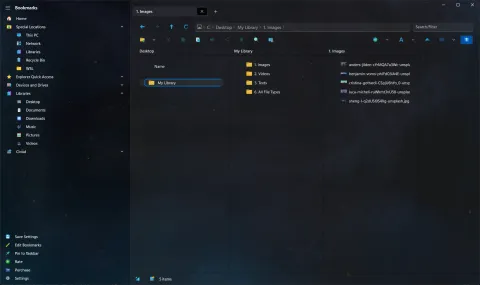
Column view and the command palette are now standard
After months as experiments, Miller column view and the command palette became regular settings in version 3.21, along with phones and cameras on the Home page.
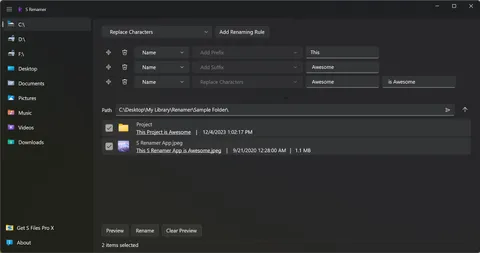
Meet S Renamer: rename many files at once with stacked rules
S Renamer 1.0 is a standalone bulk renamer for Windows, with a built-in file browser, nine renaming rules, drag-to-reorder and a preview of every new name.
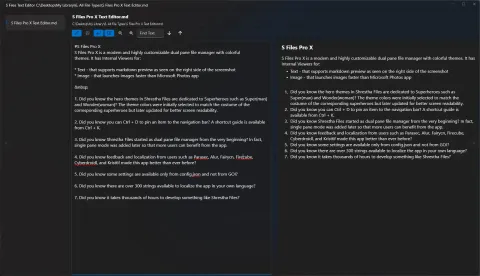
A redesigned text editor with Markdown preview
Version 3.9 redesigned the built-in text editor with resizable file list, editor and Markdown preview columns, and the app began remembering its window size.
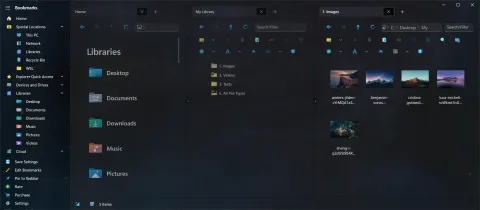
Triple pane mode for ultrawide monitors, and new shortcuts for tabs
Version 3.3 added a third pane. Version 3.4 followed with Ctrl+Tab, Ctrl+W, Ctrl+Shift+T to reopen closed tabs, and Ctrl+Shift+H to cycle panes backward.
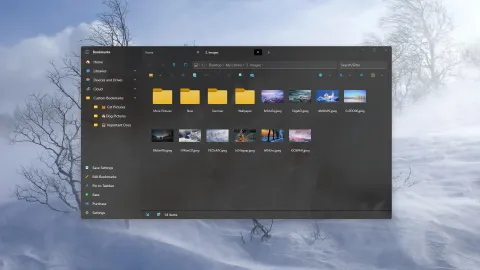
S Files Pro X 3.0: Mica, the Recycle Bin, WSL, zip folders and more
Version 3.0 rewrote every file operation, added Mica backdrops and a Windows XP icon pack, and opened up the Recycle Bin, WSL, network locations, phones and zip files.
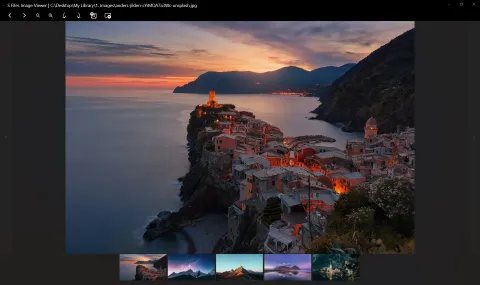
Drag and drop is back, plus an audio playlist and an image thumbnail strip
Versions 2.17 and 2.18 turned drag and drop back on, brought back the internal audio and video players, and added file lists to the text editor and image viewer.
Paste a screenshot straight into a folder
Since version 2.16, pasting in S Files Pro X with an image on the clipboard saves it as a .png file in the current folder, and pasting text saves a .txt file.
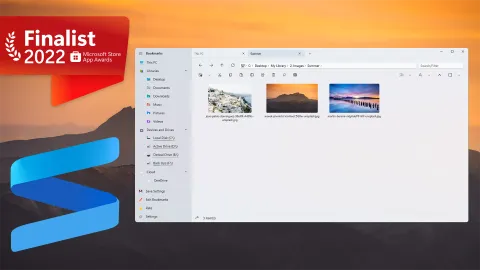
A finalist in the Microsoft Store App Awards, in 2022 and again in 2023
Shrestha Files Pro, now S Files Pro X, was a Community Choice finalist for File Management in the Microsoft Store App Awards 2022, and again in 2023.
Shrestha Files Pro X 2.0: the next version of Shrestha Files
Pro X launched alongside Microsoft Build 2022. Rebuilt on the Windows App SDK, it can run .exe files, show hidden and system files, and is much faster than the original.
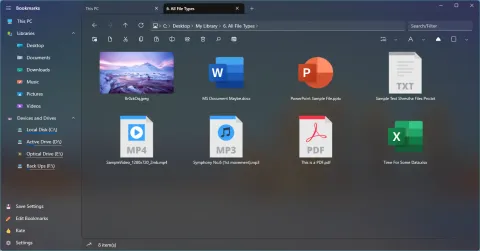
Colorful icon themes, and how to make your own
Version 1.62 brought three colorful icon themes, faster folder loading with generic icons, and a way to build your own icon theme from SVG files.
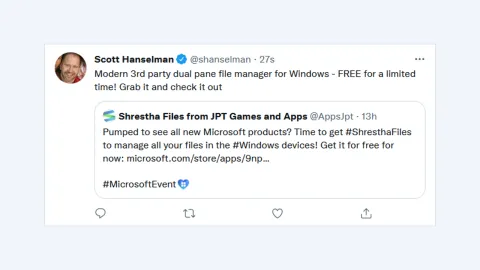
A shout-out from Scott Hanselman
In September 2021, Shrestha Files Pro was free for a limited time to celebrate version 1.0, and Scott Hanselman shared it as a modern dual pane file manager for Windows.
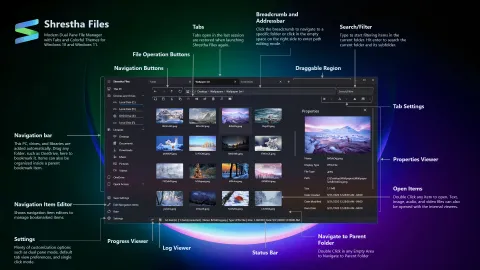
Shrestha Files Pro 1.0
On September 1, 2021, after more than a year of updates, Shrestha Files Pro reached version 1.0. Here is what led up to it and what came after.
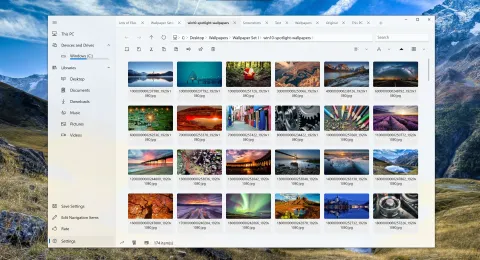
Summer 2021: tabs on top, extended search and a Markdown editor
In July 2021, Shrestha Files added a tabs-on-top layout, type-to-jump, extended search for everyone, and a text viewer that edits files and previews Markdown.
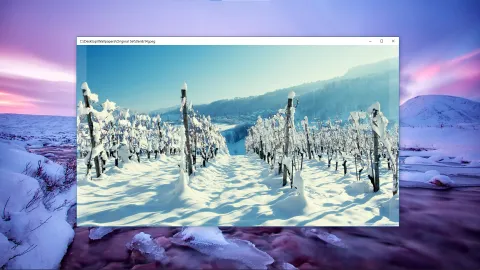
June 2021: built-in viewers for text, images, audio, video and PDF
Version 0.52 of Shrestha Files added quick built-in viewers opened with F6, along with drag selection, a pin-to-taskbar option and custom backgrounds.
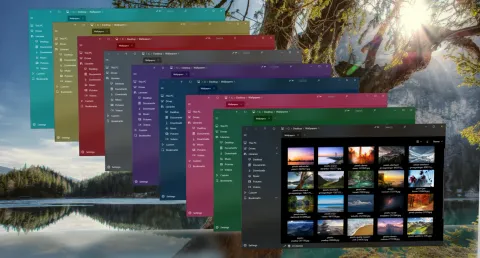
Spring 2021: color themes, custom themes and a new settings editor
Between March and May 2021, Shrestha Files gained color and hero themes, themes you can make yourself, a new settings editor, and support for older Windows 10 versions.
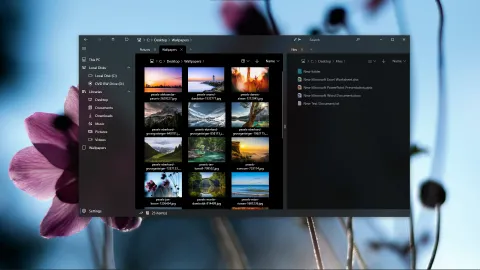
Early 2021: more languages, single-click mode and a new logo
In early 2021, Shrestha Files gained translations into more than a dozen languages, a single-click mode, a new logo and a Discord community.
October 2020: a Home page, zip extraction and much faster folders
In October 2020, Shrestha Files gained a Home page with libraries, drives and recent files, zip extraction, and a rewrite that made folders load much faster.
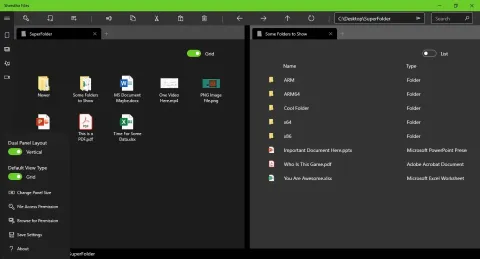
Where it began: the first versions of Shrestha Files
The 2020 releases that shaped Shrestha Files: dual pane from the start, tabs that come back after a restart, drag and drop, zip files and six view types.
Follow along with the blog feed.