A shout-out from Scott Hanselman

In September 2021, Shrestha Files Pro was free for a limited time to celebrate version 1.0, and Scott Hanselman shared it as a modern dual pane file manager for Windows.

To celebrate the launch of version 1.0 on September 1, 2021, Shrestha Files Pro was free for a limited time: a one-time promotion with a 100% discount, which started a little before the launch to build up excitement. On September 22, Microsoft held an event to show its new devices, and @AppsJpt tweeted about the offer with the #MicrosoftEvent hashtag.

Scott Hanselman, one of the best-known voices in Microsoft’s developer community, retweeted it to his followers and also shared it in his own words:
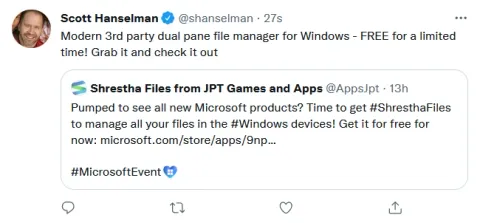
Scott Hanselman on Twitter: Modern 3rd party dual pane file manager for Windows - FREE for a limited time! Grab it and check it out. Quoting the Shrestha Files tweet about the Microsoft event offer.
See Scott Hanselman's tweet on X

It came at a good time: version 1.4, which rolled up the beta updates since 1.0, had just gone out to everyone. For an independent app, a recommendation like that, from someone so many Windows developers follow, means a lot.

Scott Hanselman retweeted the Shrestha Files tweet: Pumped to see all new Microsoft products? Time to get Shrestha Files to manage all your files in the Windows devices! Get it for free for now. #MicrosoftEvent
The original tweet, retweeted by Scott Hanselman. See it on X

Thank you, Scott, and thank you to everyone who picked up the app that day and stuck around.

The free offer was a one-time promotion. Today’s version of the app is S Files Pro X.
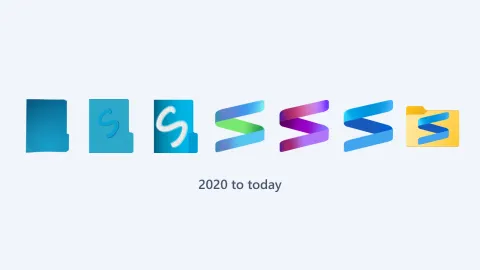
From a blue folder to a ribbon S: the S Files logo through the years

How the S Files Pro X logo changed from 2020 to today: from a plain blue folder, to an S on a folder, to the ribbon S in three colors, and back onto a folder.

September 2026: sharper icons, fewer crashes and an updated foundation

Versions 3.25 to 3.27 move S Files Pro X to the latest Windows App SDK and fix crashes, locked files and blurry icons. S Renamer 1.2 gets a new rename engine.

Column view and the command palette are now standard

After months as experiments, Miller column view and the command palette became regular settings in version 3.21, along with phones and cameras on the Home page.