“Today, we are releasing Shrestha Files Pro version 1.0. This is a huge milestone and by no means the end of the journey!” That was the whole changelog entry on September 1, 2021, fourteen months after the app first appeared on the Microsoft Store.
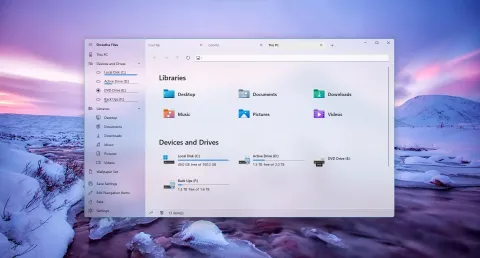
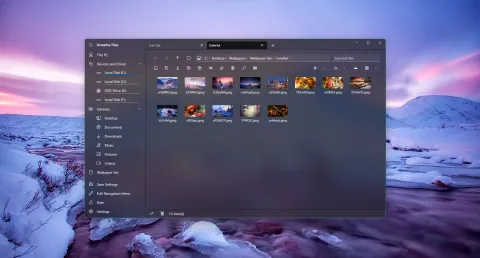
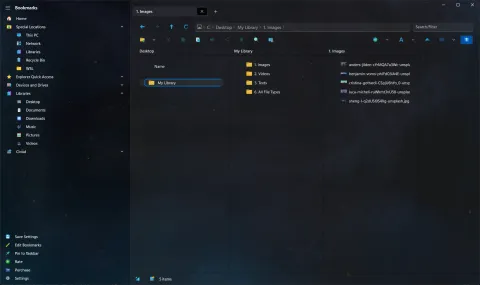
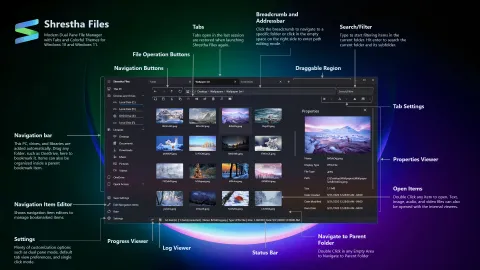
The original Shrestha Files Pro in light and dark themes, as it looked in May 2022.
The announcement
The announcement that went with it told how the app began and described Shrestha Files Pro as “a modern dual pane file manager with tabs and colorful themes”, with a built-in text viewer, image viewer, audio player and video player. It pointed to speed tests of the app and its viewers against File Explorer with Notepad, Photos, Movies & TV and VLC. To celebrate the launch, the app was free for a limited time on the Microsoft Store: a one-time promotion that started a little before 1.0 to build up excitement, and was still running at Microsoft’s September 22 event.
It also thanked everyone who had tried the app, sent feedback and bug reports, asked for features or translated it, especially Parasec, Fairycn, Kristóf, Alur, CyberDroid1 and FireCube, along with the Windows Community Toolkit and UWP Community teams. And 1.0 was not meant as the finish line: “this is just the beginning!”
The run-up to 1.0
The summer releases before 1.0 filled in many details.
Version 0.59 (July 27)
- Each built-in viewer (text, image, audio, video and PDF) could be set as the default for its file types.
- An option to delete files permanently instead of moving them to the Recycle Bin.
- A right-click menu on the Home page, and a choice of navigation animations.
- Many design fixes, based on feedback from Alur, CyberDroid1 and Parasec.
Version 0.60 (August 10)
- Pressing Enter in the filter box ran an extended search.
- An option to run file operations in parallel.
- Keyboard shortcuts in the viewers. In the image viewer: zoom with Ctrl++ and Ctrl+-, rotate with Ctrl+R. In the text viewer: switch to editing with Ctrl+E, save with Ctrl+S, and toggle the Markdown preview with Ctrl+M.
Version 0.61 (August 12)
- Set any image as the app’s background, straight from the image viewer.
- Remove a single file from the recent files list.
After 1.0
- 1.2 (September 6, beta): the Properties viewer could add up the size and item count of a whole folder, and a folder path could be passed on the command line to open it in a new tab.
- 1.4 (September 19): a general release with all the beta updates.
- September 23: with the launch offer still running, Scott Hanselman shared the app as a “modern 3rd party dual pane file manager for Windows”.
- 1.9 (October 10): Properties showed details such as image dimensions and song or video length, Esc closed the changelog and shortcut list, and Serbian (Latin and Cyrillic) translations arrived, thanks to Bzzrak.
What came next
The Universal Windows Platform had limits that kept getting in the way of a file manager, so work began on a new version on a newer Windows platform: Shrestha Files Pro X, which launched as version 2.0 in May 2022 and is now S Files Pro X. The original app kept getting fixes for a while; the latest in its changelog is version 1.12, from April 2022.
Read every release in the original Shrestha Files changelog.