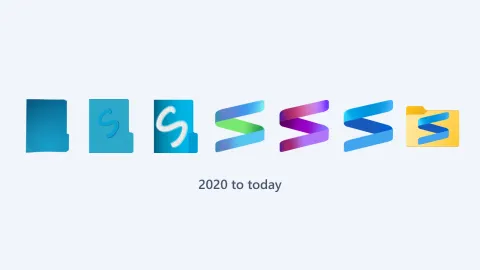
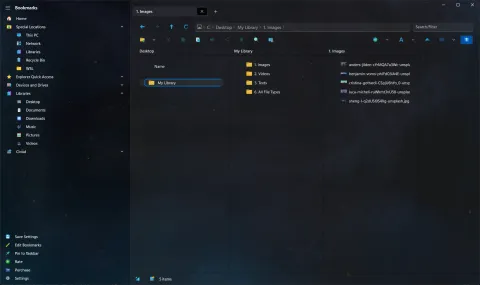
Shrestha Files first appeared on the Microsoft Store in June 2020, as “a modern dual pane file manager” for Windows 10. Many of the ideas in today’s S Files Pro X go back to those first few months.

Why it began
Its developer had long been a fan of dual pane file managers with tabs, and had used a third-party one for a few years. It had the features, but like almost every reliable file manager at the time, it kept an old-style interface that looked dated next to Microsoft’s newer designs for Windows and its apps. A search through what felt like every file manager in the Microsoft Store found nothing better: they looked like apps from the Windows XP era, lacked the features, or were not stable enough. Microsoft would probably modernize File Explorer one day, but not soon, and a dual pane File Explorer seemed unlikely ever to come.
So the developer decided to build one. As the announcement for version 1.0 put it a year later:
First, it was just a mini project I wanted to do for myself with just a couple of features such as dual pane mode, tabs, and session resume - maybe a couple months of development, and I will be done!
Then it seemed worth sharing, in case others found it useful too. Feedback from users started pouring in, the developer’s own wish list kept growing, and the project of a couple of months has since taken thousands of hours.
Built around dual pane
Dual pane was there from the start. In fact, a single pane mode only arrived later, in version 0.15 (September 2020).
The earliest release notes, for version 0.7, already list:
- saving and restoring your session, tabs included,
- a navigation bar with the standard libraries,
- drag and drop, and copy, cut, paste and delete with the clipboard,
- a safety check before copying or moving files.
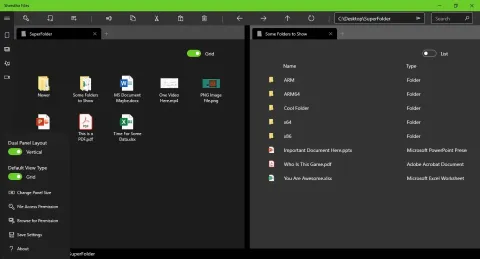
Summer 2020
Updates came quickly, often every week:
- 0.8 (July): a customizable navigation bar, resizable panes and list columns that are remembered, a compact mode, a clickable breadcrumb address bar, and a way to cancel a file operation.
- 0.9 (August): navigation items could have categories and sub-items, the start of today’s multi-level bookmarks. Drives were added automatically, items could be sorted with the sort order saved per tab, and a right-click menu arrived with new folder, new file, copy, cut, paste, rename, delete and copy path.
- 0.10: the log viewer and the progress viewer. An experimental tracker also kept tabs up to date when files changed outside the app.
- 0.11: Open with, the F3 and F4 shortcuts, and launching the app from the command line.
- 0.12: zip compression.
- 0.13: big folders loaded 100 items at a time, so you could start working before everything appeared.
- 0.14 (September): a checkbox selection mode for touch screens, and view type and sort options in the right-click menu.
Six view types (version 0.16)
On September 28, 2020, version 0.16 introduced the six view types the app still has today: simple list, detailed list, small grid, medium grid, large grid and tiles. It also let you reorder the navigation bar and added the acrylic background to more of the app.
See every early version in the changelog, and what came next in October 2020.