September 2026 brought a run of updates focused on polish: a newer foundation, crash fixes, and a lot of small visual fixes you notice every day.
An updated foundation
- Version 3.25 (September 13) updated the app to Windows App SDK 1.8, along with other framework updates.
- This builds on version 3.24 (February 2025), which moved the app from .NET 6 to .NET 8.
You will not see these changes directly, but they keep the app current with the latest Windows platform.
Fewer crashes, no more locked files
Version 3.26 fixed:
- the PDF viewer and the audio and video players keeping a file locked after you closed them, so you could not move or delete it until you quit the app,
- crashes when navigating between pages, when recovering from a damaged settings file at startup, when checking the license without an internet connection, and when showing the changelog after an update,
- a rare crash caused by two versions of the same interface library being loaded at once,
- shortcuts to web apps (such as Install as app in Chrome or Edge) showing the browser’s icon instead of the site’s own icon,
- blurry icons in places like the Properties pane.
New items land where you can see them
Version 3.27 made creating files and folders feel right:
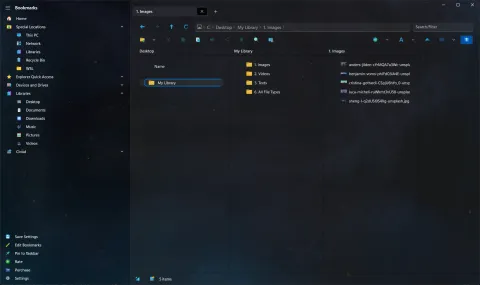
- New files, folders and zip archives are scrolled into view and selected, even in a long list.
- New items appear in their sorted position instead of at the end of the list.
- New empty files and folders no longer show a blurry icon until you refresh.
- Selected items now have a border in every view, instead of a thin accent line on the left.
- Shortcut (
.lnk) icons, for websites and programs, are sharp instead of pixelated.
S Renamer 1.2
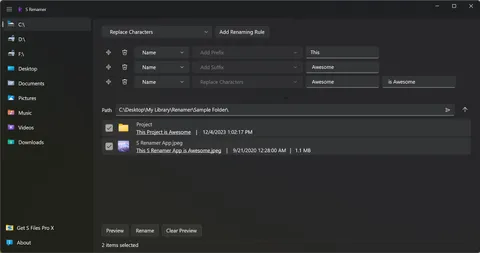
On September 16, S Renamer 1.2 rebuilt its file browsing and rename engine on a new library, loads thumbnails faster in folders with many images, and moved to .NET 8.
Getting the update
Updates are rolled out gradually through the Microsoft Store, so not everyone gets a new version on the same day. See the S Files Pro X changelog and the S Renamer changelog for the full details.