Version 1.62 of Shrestha Files Pro X (now S Files Pro X) was the biggest update of the Pro X beta since the first beta release. Its headline feature was colorful icon themes.
Three colorful icon themes
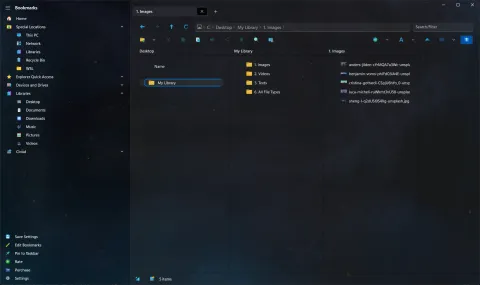
Three new icon themes gave every kind of file its own colorful icon. You switch between them in Theme Settings, and refresh a tab to see the change.
Generic icons are not only prettier; they are also faster. Creating a real thumbnail for every file takes time, so a folder with generic icons loads more quickly. You can still choose:
- actual thumbnails for everything,
- very basic glyph icons, which load even faster, or
- generic icons with actual thumbnails for chosen file types only, such as images, where a real preview matters most.
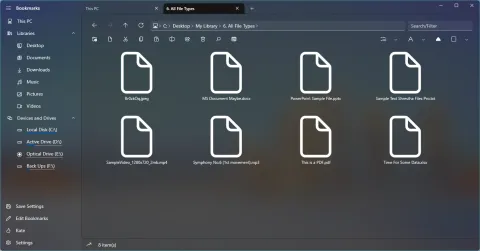
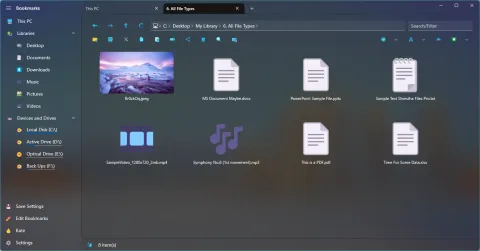
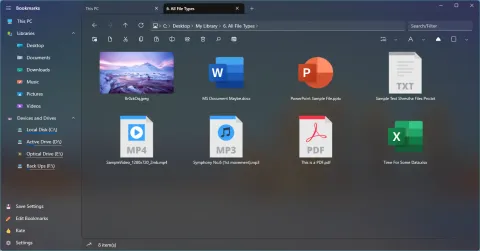
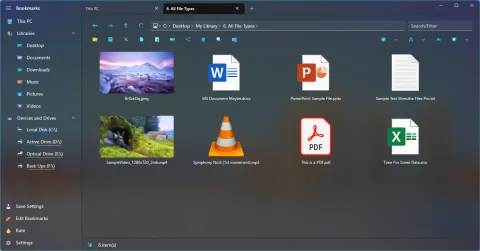
The same folder with each icon type, in May 2022.
Make your own
Icon themes are just folders of SVG files, one per file type, so you can build your own. The guide How to create your own icon theme walks through it step by step.
Also in 1.62
- A nicer title bar on Windows 10 when content is extended into the title bar.
- Thumbnails for system and hidden files, and for
.appref-ms,.urland.wshshortcuts. - Background images keep their proportions instead of stretching.
- The PDF viewer opens PDF files again, with sharper pages on wide windows.
- Sliders to change the length of items in the simple list and tiles views.
- Sharing files works again.
- Settings are saved automatically when you close the app.
- Rating, purchasing and update checks were reimplemented for Pro X.
See the full list in the changelog for version 1.62, or read about today’s icon packs and themes.