Version 3.0 was a massive update to S Files (Shrestha Files) Pro X 2.x. Here are the highlights; the full changelog for 3.0 is long enough to be a small book.
A fresh look out of the box
- New installs start with a background image and colorful icons for bookmarks, toolbar buttons, files and folders.
- Mica and Mica Alt backdrops on Windows 11, and Acrylic on Windows 10 and 11, can now be switched without restarting the app. Context menus got the Acrylic effect too.
- A Windows XP icon pack, for nostalgia.
- App density now has four levels: Relaxed, Normal, Compact and Extra Compact.
- New sliders set the opacity of the active and inactive panes, and of hidden and system files.
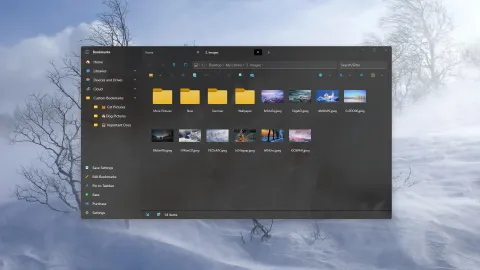
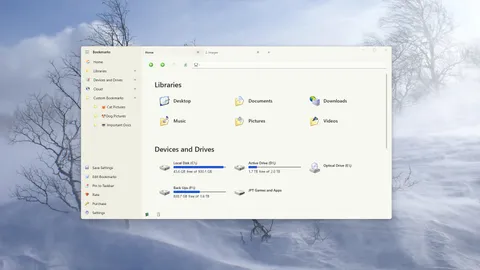
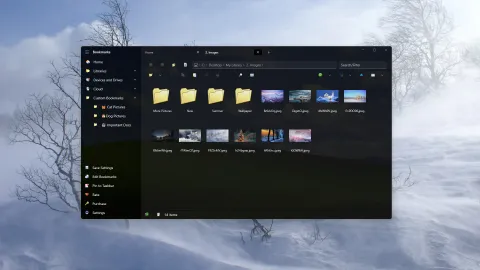
The Windows XP icon pack, in light and dark themes.
Beyond regular folders
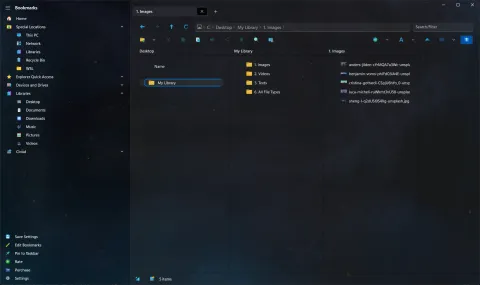
Version 3.0 added “special locations” that you can add to your bookmarks:
- Recycle Bin: see deleted items and delete them permanently.
- Windows Subsystem for Linux (WSL): browse your Linux files.
- Network, Libraries and This PC, including phones and tablets connected over USB.
- Zip files can be opened and browsed like folders.
Some features worked differently in these new locations at first; the changelog lists what was supported. More on the special locations page.
File operations, rewritten
Copy, cut, paste, rename, delete, new file and new folder were all refactored or rewritten for better speed and reliability across all these kinds of locations. A few things you might notice:
- When renaming or creating a file, only the name is selected, not the extension.
- Opening a shortcut to a folder opens the folder in S Files instead of File Explorer.
- Newly created files are no longer locked by the app.
- The progress viewer marks each step of an operation with a colored square for success or failure.
- The app stays more responsive while creating or extracting zip files.
New ways to launch
- Type
sfilesin the Run dialog, or open a link likesfiles:C:\Users\to start the app with that folder in a new tab. - An experimental setting makes S Files Pro X the default file manager for opening folders and Win+E. See how to set it up.
Smaller things
- “This PC” became Home, to match File Explorer.
- The selected tab’s close button uses the theme color, so the current tab is easy to spot.
- A tab whose folder no longer exists shows
(!)before its name. - Updated Chinese Simplified, Italian, Spanish and German translations, thanks to Fairycn, Alessandro, Damián Roig and Parasec.
A new logo and a new name
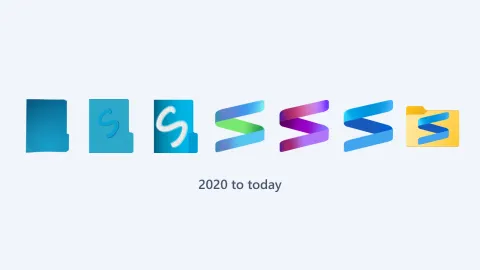
Version 3.0 was the first release with the current logo, the blue ribbon “S” on a yellow folder, and the first to go by the name S Files Pro X. See the logo through the years.