Opening a file to take a quick look should not mean waiting for another app to start. In June 2021, Shrestha Files got its own viewers.
Built-in viewers (version 0.52)
Version 0.52 (June 11) added minimalist internal viewers, opened with F6, for:
- audio and video, such as MP3, MP4 and WMV,
- images, such as PNG, JPG and GIF,
- plain text, such as TXT, JSON and XML,
- PDF files.
Other file types could be added to a viewer in the settings file, for example text files with unusual extensions. In this first version, audio and video had to be paused before closing the window, or they kept playing; version 0.60 fixed that.
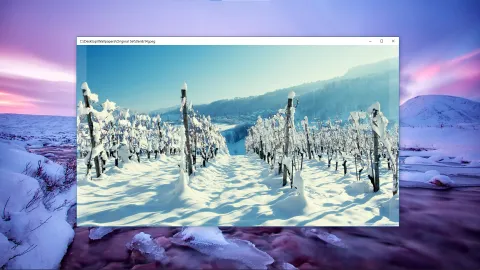
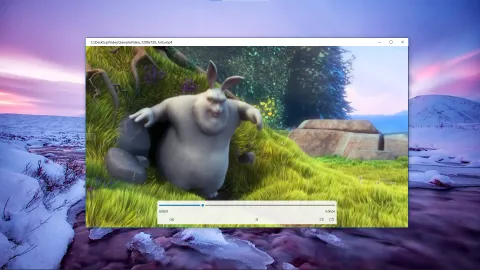
The image viewer and the video player in August 2021, two months after they arrived. (Video: Big Buck Bunny, © Blender Foundation, CC BY 3.0.)
The same release also added:
- drag selection: draw a box to select several items, requested by Kweku. (Going up to the parent folder then took a triple-click on empty space instead of a double-click.)
- thumbnails for libraries, drives and devices on the Home page,
- a pin to taskbar option in the sidebar,
- an experimental custom background for the acrylic effect,
- a Polish machine translation.
Later that month
- 0.53 (June 17): an option for solid “boxy” backgrounds behind items, previous and next buttons in the image viewer, dropping folders onto a sidebar item to create sub-items, and opacity settings for the content area.
- 0.55 (June 28): settings for the icon size of each view type, shaped by feedback from FireCube; previous and next in all the viewers; and album cover art as the background of the audio player.
Today’s viewers are faster and do more: see the built-in viewers page.