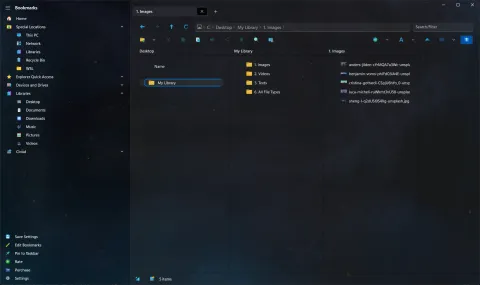
Dual pane has always been one of the reasons people choose S Files Pro X. In June 2023, three quick updates made panes and tabs even more flexible.
A third pane (version 3.3)
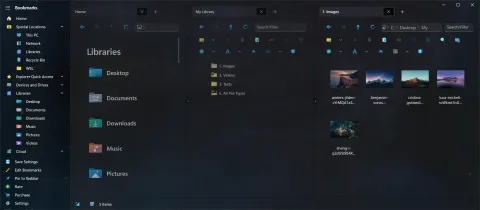
Triple pane mode shows three folders at once, each with its own tabs. It is a perfect fit for an ultrawide monitor: sort a downloads folder into two destinations, or compare three versions of a project side by side.
Press Ctrl+H to cycle through single, dual and triple pane.
Shortcuts for tabs and panes (version 3.4)
| Shortcut | Action |
|---|---|
| Ctrl+Tab | Go to the next tab |
| Ctrl+W | Close the current tab (as well as Ctrl+F4) |
| Ctrl+Shift+T | Reopen closed tabs, one at a time, switching the pane mode back if needed |
| Ctrl+Shift+H | Cycle the pane mode backward: triple, dual, single |
Version 3.4 also:
- added an overlay to shortcut files (
.lnk,.url,.appref-ms) so they are easy to tell apart, - runs more kinds of scripts directly, including
.bat,.cmd,.vbs,.js,.wsfand.mscfiles, and starts.batfiles in the right working folder, - launches app shortcuts that include parameters correctly.
Moving between panes (version 3.7)
Days later, version 3.7 added:
- Ctrl+Left and Ctrl+Right to move to the previous or next pane,
- Alt+H to switch the panes between left and right, and top and bottom,
- Ctrl+L or Alt+D to jump to the address bar, and Ctrl+E to jump to the filter box,
- Ctrl+Shift+L to open Windows Terminal in the current folder.
More on the dual and triple pane page and the full list of keyboard shortcuts.