Three releases in July 2021 changed how Shrestha Files looked and how you could find and edit files.
Tabs on top (version 0.56)
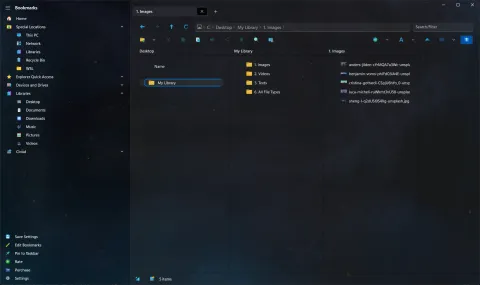
Version 0.56 (July 2) added a tabs on top layout, switched on in the General settings, which moved the tabs to the very top of the window. It also:
- let you drop files onto a tab’s header,
- jumped to the first item starting with a letter or number when you type it, a feature requested by Yair,
- fixed the free space shown for drives, reported by CyberDroid1.
Running programs (version 0.57)
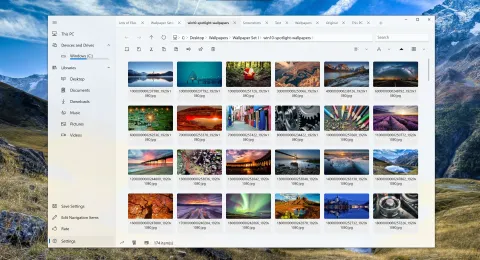
As a Universal Windows Platform app, Shrestha Files could not start .exe or .bat files by itself. Version 0.57 (July 8) made it possible through a free add-in from the Microsoft Store. It also moved updates to the window onto a more efficient system, which reduced freezes while copying large numbers of files.
Extended search for everyone (version 0.58)
Version 0.58 (July 21) finished extended search and turned it on for everyone. The box next to the address bar was renamed the filter bar, to make clear it filters the current folder.
The internal viewers grew up too:
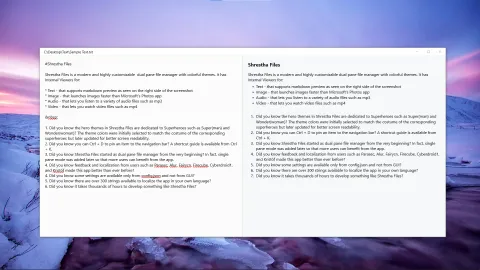
- The text viewer could preview Markdown, edit and save plain text, wrap words and change the font size.
- The image viewer could zoom, rotate, drag the picture around, and set it as the desktop background.
Other changes:
- A setting to show the Properties viewer by default, which now sat inside the tab.
- A setting to stop extending content into the title bar, so the whole title bar could be used to drag the window.
- Pasting now copied files one at a time instead of several at once. That was slower, but the window no longer froze when you pasted a large number of files. (Version 0.60 brought back copying several files at once as an option.)
The next milestone was version 1.0. See the changelog for everything in 0.58.