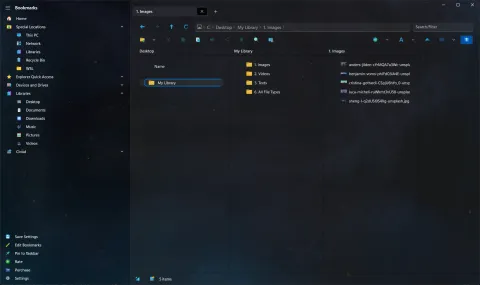
The first two months of 2021 brought Shrestha Files to many more people, in more languages.
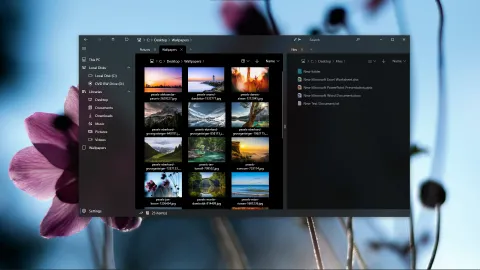
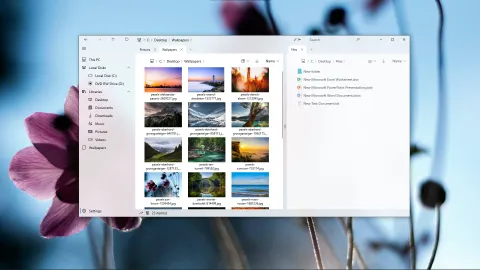
Shrestha Files in January 2021, in dual pane mode with the dark and light themes.
Easier to use (version 0.27)
Version 0.27 (January 30) focused on everyday comfort:
- more places to drag the window from,
- tooltips for the sidebar, and a bar under each drive showing how full it is,
- Enter opens the selected file or folder,
- a choice between single and dual pane, and a short tour, on first launch,
- a reset option in the About page,
- better browsing of local network locations.
More languages
- Version 0.30 included every language in the app, so switching language no longer needed a download.
- Version 0.33 added a German translation by Parasec Glenkwyst, and the About page began listing translators by name.
- The notes for version 0.34, which was not released on its own, list machine translations into Chinese (Simplified and Traditional), Czech, French, German, Hindi, Hungarian, Italian, Japanese, Korean, Russian, Spanish and Turkish.
- Version 0.37 updated the Hungarian translation, thanks to Kristóf Kékesi.
Many of these translations were later improved by volunteers. You can help too: see how to translate the app.
Single-click mode (version 0.35)
“As a result of popular demand”, version 0.35 (February 12) added a single-click mode, where one click opens a file or folder. The detailed list view also moved the Date column before Type, to match File Explorer.
A new logo and a Discord server (version 0.37)
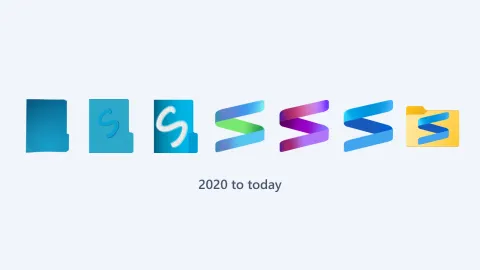
Version 0.37 (February 23) replaced the folder icon with a ribbon-shaped “S”, the shape the logo still has today. It also added a link to the Discord server, which is still the best place to give feedback, and sped up folder loading by showing names before thumbnails.


More on the logo through the years.
This period also brought the app’s first wave of press coverage, including BetaNews and Deskmodder.de; see the press links on the home page.