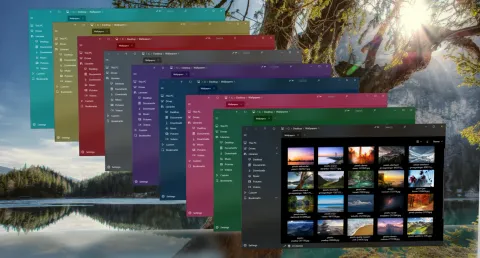
Colorful themes are one of the things people know S Files Pro X for. They started in the spring of 2021.
A new settings editor and color themes (version 0.38)
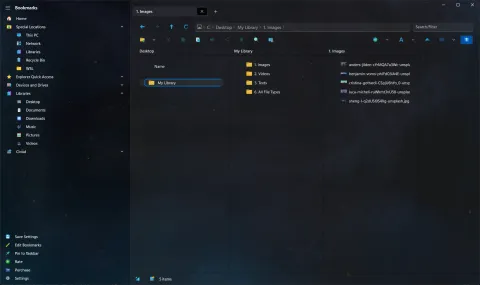
Version 0.38 (March 3) previewed a new settings editor, opened with Ctrl+P, and with it the first color themes. They were experimental: some looked best on the dark base theme and others on the light one. The same release:
- added Ctrl+H to switch between single and dual pane, requested by Parasec Glenkwyst,
- let bookmarks remember a default view type,
- remembered which sidebar items were expanded or collapsed.
Properties and search (version 0.39)
Version 0.39 (March 24) moved everything into the new settings experience and added a basic Properties viewer and an experimental extended search.
More Windows versions, better navigation (versions 0.41 and 0.43)
- 0.41 (April 13) added support for Windows 10 version 1809 and newer, put an icon on every right-click menu item, and added a default sort order for new tabs.
- 0.43 (April 17) made the mouse’s back and forward buttons work, and added Win+Backspace and the gamepad B button to go back.
Make your own theme (versions 0.44 and 0.45)
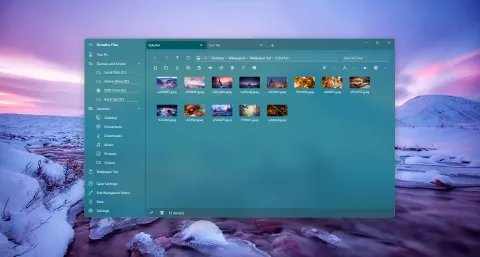
- 0.44 (April 25) let you add your own custom themes, with more themes shared on the Discord server.
- 0.45 (May 10) improved the standard and “hero” themes and included a sample theme in the custom theme folder, as a starting point for your own.
Version 0.45 also added:
- Ctrl + mouse wheel to change the view type, requested by Kweku,
- sorting by clicking a column header in the detailed list view,
- Share in the right-click menu for files and folders.
See today’s themes and icon packs, and every version in the changelog.